Guitaritis

A deluxe suite including combo amp racks making the utmost of Live’s built-in Amp and Cabinet devices, “Stomper” effects designed like guitar pedals and guitar Chord presets.
Stuff it comes with…
Combamps a whole bunch (30) of combo amps which are crafted to optimize Ableton Live’s built-in Amp & Cabinet devices to their utmost. These racks make it much easier to dial in your sound (combination of preamp drive, tone, envelope settings, biasing, and gain structure) without having to constantly adjust the output level to match as well. They also optimize your timbre selection options by providing many “dual” and even three “triple” racks, which combine and balance the tone of multiple amps. In testing, these multi-combamps have been much-appreciated for an expanded range of unique amp flavors, as you now basically have 30 unique amp models, instead of 6. All combamps have been gain-staged at multiple points in the signal chain using both Peak and LU matching with both “Strat”and “Les Paul” styles, as well as bass electric guitars. The dual & triple combamps are gainstaged with a system resulting in relatively balanced levels at all gain settings when using wide panning (so that one amp is not way louder on one side than the other one). Since every guitar has its own tone & envelope character, these values are guaranteed to be imperfect, but it should result in you only needing to make miniscule volume adjustments to fine-tune your ultimate sound.
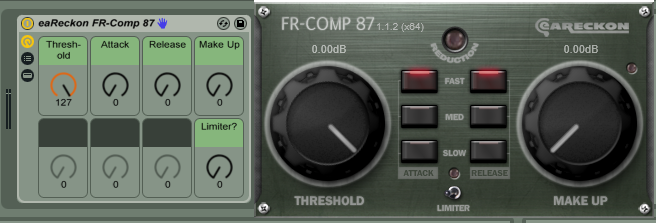
Post Amp Compressor a simple compressor with settings calibrated ideally for taming an amp output’s transients.
Guitar Chords 35 presets for Chord based on actual human guitar fingerings.
Stompers 18 racks set up like guitar pedals, designed for use with a Combamp akin to a physical guitar routing setup. If you have a midi foot controller you can use them exactly as such. Includes…
Booster
Chomper
Comper
Dister
Dualay
Flonger
Gater
Glitcher
Phozzer
PitchDownDelay
PitchUpDelay
Smevel
Somber
Sproing
Swamper
Toner
Tremotary
Whamper
Groovification 2

A robust collection of groove files which implement rhythmic “chop” effects in quarter, eighth, and sixteenth-note patterns.
Stuff it comes with…
Chopper Grooves 302 of them! Drop a Chopper Groove onto an audio OR a MIDI part, make sure your global groove amount is up, and hear it do its thing. Drop different Chopper Grooves onto different tracks… then when you turn global groove amount up… they all start chopping in their own way.
Harmonicality

Audio effect and MIDI racks designed for enhancing and manipulating harmonics by various methods.
Stuff it comes with…
Harmonic Colorizer enhance harmonics using various different methods. By using different amounts of each knob, you can set up your own unique boost texture to help a part stand out against its various song elements, or use it to subliminally add a particular color to a submix or mix.
Overtone EQ (3 versions) EQ racks set up to select a target frequency, and then manipulate the harmonics based on that frequency. The Even & Odd version allows separate control of even & odd harmonics. The Even vs Odd will boost Even or Odd and attenuate the other (useful for hearing the difference between those types of harmonics). The Sculptor version is useful for manipulating each harmonic interval individually.
Undertone EQ (3 versions) just like the Overtone EQs, but these manipulate lower harmonics instead (not as common of an operation). They include the same 3 versions.
Harmonic Chord Presets these will add in MIDI notes based on harmonic intervals. Simple, but useful. Includes 2nd through 4th harmonics which each add only 1 note and also Coarse, Perfect, and Undertone versions which each add multiple harmonics.
Harmonics Extender (3 versions) MIDI racks which can be used to set (& automate) the amount of added harmonics. Includes Coarse, Perfect, and Undertone versions.
Amplitude Operands

Utility presets allowing to divide or multiply level according to Sound Pressure Level, Acoustic Intensity Energy, and Perceived Loudness Sensation.
Stuff it comes with…
Sound Intensity by Energy (Utility Presets)
Sound Loudness by Sensation (Utility Presets)
Sound Pressure by Voltage (Utility Presets)
divide or multipy audio level by either “SPL”, “SIL”, or “Volume”. This is technical stuff. Check out http://www.sengpielaudio.com/calculator-soundlevel.htm for more info. Basically…
-use SPL (voltage) division when you want to sum parts perfectly (i.e. 5 copies of something each divided by 5 SPL and recombined will equal the exact level of the original)
–use SIL (energy) for acoustic energy calculations. Like, let’s say you’ve got a really small sound, like a pin drop. Multiply it by 100 SIL to estimate the level provided by 100 pins dropping at the same time.
–use Volume (loudness) for the human perception of level.
So, to make something seem twice as loud, subjectively, multiply it by 2 Volume.
There are also included some racks to choose/automate which multiplier/divisor to use:
SPL Divisor
SPL Multiplier
Volume Divisor
Volume Multiplier
Note Range Setters
An assortment of midi racks, primarily for composers, which filter incoming notes according to standard instrument & vocal ranges, plus tools for making custom note ranges.
Stuff it comes with…
Note Range Setter (Absolute) define a playing range by setting the lowest and highest allowable notes
Note Range Setter (Relative) define a playing range according to distance from a root note
Note Range Blocker (Relative) set a sub-range of notes to block from being played within a range
Includes individual MIDI racks for a vast range of classical and folk instruments, as well as standard vocal ranges:
Brass 36 instrument ranges
Exotic 2 instrument ranges
Guitar & Plucked 58 instrument ranges
Mallets 8 instrument ranges
Percussive 5 instrument ranges
Piano & Keys 14 instrument ranges
Strings 15 instrument ranges
Voices 35 vocal ranges
Winds 88 instrument ranges
Simply set a note range before a MIDI instrument to allow it to only play notes within that range.


 PerforModule