Actually Using Push 3’s “User Mode”
The free Push 3 User Mode template has been updated for Live Suite 12.4.1+ and is available once more!
(Grab the .alp directly here).

The free Push 3 User Mode template has been updated for Live Suite 12.4.1+ and is available once more!
(Grab the .alp directly here).

𝐖𝐡𝐚𝐭 𝐢𝐬 𝐆𝐮𝐢𝐭𝐚𝐫𝐢𝐭𝐢𝐬?
Guitaritis is a deluxe suite of sophisticated amp racks, designed to make the most of Live’s Amp and Cab devices for electric stringed sounds, plus various effect racks to further modify and bolster them.
It Includes…
𝟹𝟶 𝙲𝚘𝚖𝚋𝚘 𝙰𝚖𝚙𝚜.
𝟽 𝚂𝚙𝚕𝚢𝚝 𝙰𝚖𝚙𝚜.
𝟹 𝙼𝚒𝚜𝚌. 𝙰𝚖𝚙𝚜.
𝟹𝟶 𝚂𝚝𝚘𝚖𝚙𝚎𝚛 𝙿𝚎𝚍𝚊𝚕𝚜.
𝟷𝟸 𝙼𝚒𝚜𝚌. 𝚁𝚊𝚌𝚔𝚜.
𝟹7 𝙼𝙸𝙳𝙸 𝙲𝚑𝚘𝚛𝚍𝚜.
I’m happy to announce the release of the brand-new effects pack Drum Enhancerz Two, as well as a fresh update to the classic original Drum Enhancerz pack. This update took quite a lot of time and energy, but was quite fun to accomplish.
Due to an increasing upcoming workload, we’ve decided to release the freeVST racks all at once, instead of in monthly batches as originally planned. That’s over four-hundred and twenty individual racks now available! Talk about an expanded toolkit.
These are “default/template” audio effect racks for many different plugins which are available publicly for free in 64-bit. You simply load any of these Ableton racks, and it loads its corresponding plugin (assuming it’s installed). Each rack includes help text which will be shown when hovering over macro controls.
Most of the plugins we have racks available for have 32-bit and mac versions as well; however, some are 64-bit or windows-only. Mac-only and AU plugin racks are planned in the future. FreeVST racks here will be updated occasionally to reflect developer updates. If you know of a free vst developer we missed or encounter any issues, please leave a comment.
ABLETON LIVE 9.6 required (Intro, Suite, or Standard).
Yes, you can even use all of these racks with Live 9 Intro!

Combamps a whole bunch (30) of combo amps which are crafted to optimize Ableton Live’s built-in Amp & Cabinet devices to their utmost. These racks make it much easier to dial in your sound (combination of preamp drive, tone, envelope settings, biasing, and gain structure) without having to constantly adjust the output level to match as well. They also optimize your timbre selection options by providing many “dual” and even three “triple” racks, which combine and balance the tone of multiple amps. In testing, these multi-combamps have been much-appreciated for an expanded range of unique amp flavors, as you now basically have 30 unique amp models, instead of 6. All combamps have been gain-staged at multiple points in the signal chain using both Peak and LU matching with both “Strat”and “Les Paul” styles, as well as bass electric guitars. The dual & triple combamps are gainstaged with a system resulting in relatively balanced levels at all gain settings when using wide panning (so that one amp is not way louder on one side than the other one). Since every guitar has its own tone & envelope character, these values are guaranteed to be imperfect, but it should result in you only needing to make miniscule volume adjustments to fine-tune your ultimate sound.
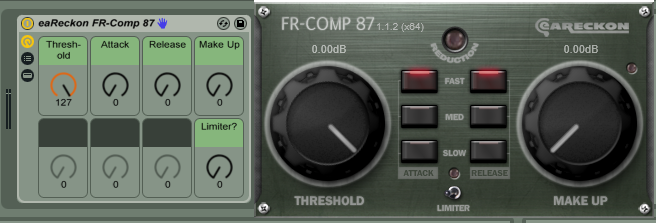
Post Amp Compressor a simple compressor with settings calibrated ideally for taming an amp output’s transients.
Guitar Chords 35 presets for Chord based on actual human guitar fingerings.
Stompers 18 racks set up like guitar pedals, designed for use with a Combamp akin to a physical guitar routing setup. If you have a midi foot controller you can use them exactly as such. Includes…
Booster
Chomper
Comper
Dister
Dualay
Flonger
Gater
Glitcher
Phozzer
PitchDownDelay
PitchUpDelay
Smevel
Somber
Sproing
Swamper
Toner
Tremotary
Whamper

Chopper Grooves 302 of them! Drop a Chopper Groove onto an audio OR a MIDI part, make sure your global groove amount is up, and hear it do its thing. Drop different Chopper Grooves onto different tracks… then when you turn global groove amount up… they all start chopping in their own way.

Harmonic Colorizer enhance harmonics using various different methods. By using different amounts of each knob, you can set up your own unique boost texture to help a part stand out against its various song elements, or use it to subliminally add a particular color to a submix or mix.
Overtone EQ (3 versions) EQ racks set up to select a target frequency, and then manipulate the harmonics based on that frequency. The Even & Odd version allows separate control of even & odd harmonics. The Even vs Odd will boost Even or Odd and attenuate the other (useful for hearing the difference between those types of harmonics). The Sculptor version is useful for manipulating each harmonic interval individually.
Undertone EQ (3 versions) just like the Overtone EQs, but these manipulate lower harmonics instead (not as common of an operation). They include the same 3 versions.
Harmonic Chord Presets these will add in MIDI notes based on harmonic intervals. Simple, but useful. Includes 2nd through 4th harmonics which each add only 1 note and also Coarse, Perfect, and Undertone versions which each add multiple harmonics.
Harmonics Extender (3 versions) MIDI racks which can be used to set (& automate) the amount of added harmonics. Includes Coarse, Perfect, and Undertone versions.

Sound Intensity by Energy (Utility Presets)
Sound Loudness by Sensation (Utility Presets)
Sound Pressure by Voltage (Utility Presets)
divide or multipy audio level by either “SPL”, “SIL”, or “Volume”. This is technical stuff. Check out http://www.sengpielaudio.com/calculator-soundlevel.htm for more info. Basically…
-use SPL (voltage) division when you want to sum parts perfectly (i.e. 5 copies of something each divided by 5 SPL and recombined will equal the exact level of the original)
–use SIL (energy) for acoustic energy calculations. Like, let’s say you’ve got a really small sound, like a pin drop. Multiply it by 100 SIL to estimate the level provided by 100 pins dropping at the same time.
–use Volume (loudness) for the human perception of level.
So, to make something seem twice as loud, subjectively, multiply it by 2 Volume.
There are also included some racks to choose/automate which multiplier/divisor to use:
SPL Divisor
SPL Multiplier
Volume Divisor
Volume Multiplier
Note Range Setter (Absolute) define a playing range by setting the lowest and highest allowable notes
Note Range Setter (Relative) define a playing range according to distance from a root note
Note Range Blocker (Relative) set a sub-range of notes to block from being played within a range
Includes individual MIDI racks for a vast range of classical and folk instruments, as well as standard vocal ranges:
Brass 36 instrument ranges
Exotic 2 instrument ranges
Guitar & Plucked 58 instrument ranges
Mallets 8 instrument ranges
Percussive 5 instrument ranges
Piano & Keys 14 instrument ranges
Strings 15 instrument ranges
Voices 35 vocal ranges
Winds 88 instrument ranges
Simply set a note range before a MIDI instrument to allow it to only play notes within that range.
Two new premium packs for Ableton Live have been released, after extensive testing periods.
These are some of the most robust and practical stuff we’ve created yet!
All Premium PerforModule packs are self-installing, meaning that you simply drag them into Live and all the devices will now be in your library, categorized.
 “One Knob Wonders”
Includes 64 different single-knob effects, each designed for a specific purpose.
They range from highly practical mixing tools to wacky, nifty performance tricks.
<- Click the link for more details.
Here’s a highlight of some my favorites from the set…
–Noisify: adds source-reactive noise and degrades signal
–FonePhilter: retro telephone tone with signal overdrive
–DownFilter Dirty: performance sweep utilizing Live’s new analog filter functionality
–GrainPitch Up: crude realtime pitch shifter
–Pianosator: “piano reverb” of chromatic resonances
–BassCream: velvety bass guitar process based on a classic pro studio workflow
–Shredder: scorching tone for hard rock/heavy metal lead guitar, easy-peasy
–Characterizer: adds mid-range richness and warmth
–De-Essify: de-esser which works like magic
–JuiceSnapper: aux buss finalizer / transient enhancer
–SuperUltraMega: Makes. Stuff. Louder.
–Chube: chorus to sound like going through a metal tube
–Breepitate: glitchy fun
–BrownLoop: loop and shift a clip down to half speed
–SeaShore: transform any audio into a pleasing surf wave
–PongFreez: more glitchy fun
–TapeFlange: emulates splitting the feed into an extra tape machine
“Advanced Splytterz”
Includes template racks used for splitting up any audio source into multiple chains by various methods.
<- Click the link for more details.
Useful for when you want to do things like
-apply different effects to different frequency ranges
-apply different effects to the left and right sides of a stereo file
-apply effects to just the mid or side channels for super easy m/s processing
-different effects chains which alternate based on a time interval
-effects applied separately to above and below a transient threshold
-etc…
It also includes three “tri” devices pre-loaded with effects and a “behind the back panner” for an interesting phase-shift panning technique.
~ALSO~
 Telling you about the “Drum Enhancerz” Ableton Live pack by PerforModule.
<- Access the sale page by clicking on the drum head.
It includes racks which are calibrated for sculpting of specific drum elements. Included are…
Enhance Cymbals
Enhance Kicks
Enhance Overheads
Enhance Snares
Enhance Toms
Each rack includes 8 macro controls for sculpting your drum sounds with ease.
A few of the capabilities are…
-plush control for smooth cymbals
-smack control to add top attack to kicks
-smash: go-to overhead compression
-pitch-matched resonance for boomy toms
NEW free pack available via AfroDJMac: Vinyl Snackler
“Instrument with 128 Unique Analog Vinyl Noise Loop Samples.”
This is a sampler instrument which is designed to play a loop of background vinyl noise which you can select from 128 unique samples, each with their own character. Some of the samples are primarily background hiss, but some also have pops, clicks, and other artifacts which can be useful as percussion elements. Big thanks to the one and only AfroDJMac for hosting this device.
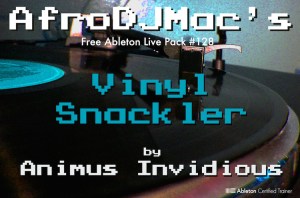 (It’s free! Go grab it!!)
PS…. if you are not already a member of the ADM Music Production Club, then you are missing out on a crazy-affordable source of insanely cool, high-quality, monthly awesome stuff delivered to your face. If you are interested in steadily building up your ableton library full of production and performance assets to be able to more quickly dive in to making your own bizarre unique sounds and developing your own twisted techniques, this is one of the most practical possible methods you can consider, especially if you’re a fan of the more odd and innovative side of things (which, if you’re reading this here now, i’m guessing you probably are).
I recently helped tweak and finalize a set of free audio effect racks in collaboration with online mastering service LANDR.
These are three effect racks suited for quick and easy “tone sculpting” of parts which are centered on low, mid, or high frequency ranges.
Check out the story about it and find download links here: www.ableton.com/en/blog/free-landr-tone-sculptors/

If you’ve never used LANDR, i highly recommend it as a way to test your mixes. Finish a mix and send it off to LANDR… listen to the master they send back to you, hear problems more clearly, and then go back to your mix and fix. It’s also a great way to get a new track ready for live performance before it has been sent off for professional mastering or officially released.
Also, check out the new ARCHIPEL ELEMENTS live pack, with drum racks featuring juicy recorded samples ranging in the 4 elements – earth, water, air and fire. Great material for sound design and experimental composition.
Enjoy!
33 varied and wonderful 1-knob fx. Continue reading

