Actually Using Push 3’s “User Mode”
The free Push 3 User Mode template has been updated for Live Suite 12.4.1+ and is available once more!
(Grab the .alp directly here).

The free Push 3 User Mode template has been updated for Live Suite 12.4.1+ and is available once more!
(Grab the .alp directly here).
We’ve got a new pack for you, Super Awesome Sounds, featuring samples of the Casio SA-20 Keyboard. This was my first instrument as a kid and thus has a very nostalgic place in my heart, so i recently re-acquired one and went nuts sampling its 100 patches and making instrument and drum racks for ableton live out of them (plus audio effect racks inspired by them), using the amalgamation of my accumulated knowledge over the years to create the most refined PerforModule instrument pack to date.
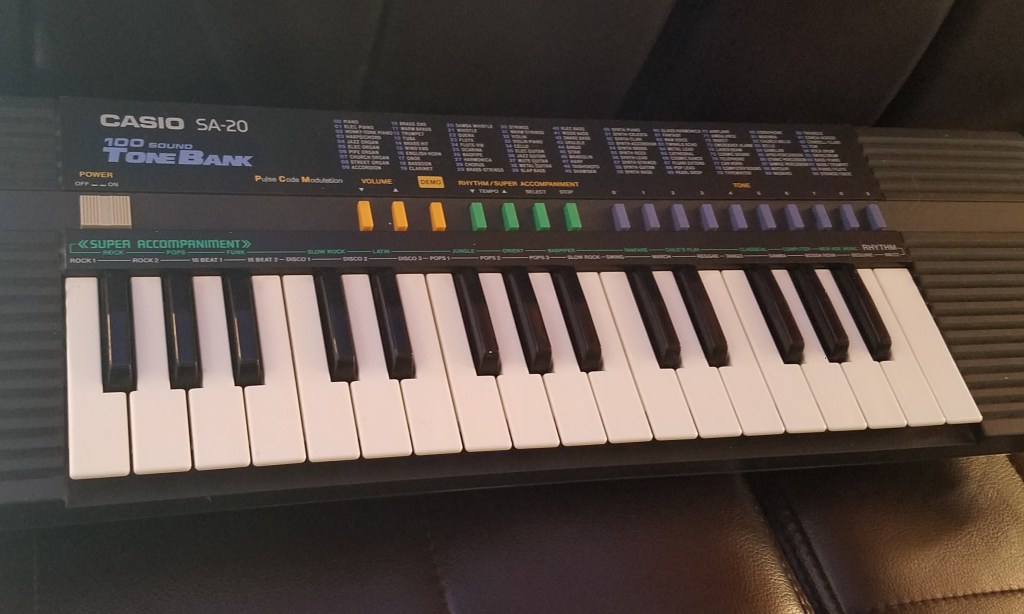
Since it seemed to fit nicely with his existing collection which includes quite a lot of 80s- and 90s-esque sensibilities, i’ve teamed up with Brian Funk to release the pack. We talked about it as well as various other random topics on his show, the Music Production Podcast. Many thanks to Mr. Funk for having me on, always an interesting and insightful time.
There is a free version of the pack as well as the full version linked below, which can be currently had for just $6 by joining Brian’s Music Production Club this month (along with a bunch of other cool stuff). That’s a sweet deal! The MPC is a great way to acquire a constant influx of goodies into your inbox every month for a very accessible sum, so that even poor, cheap bastards like me can afford it. It’s rad! The price for Super Awesome Sounds is otherwise $15, itself a tubular deal considering the vast assortment of wonderful gadgetry it contains within.
Click to check it out at Brian Funk’s site.

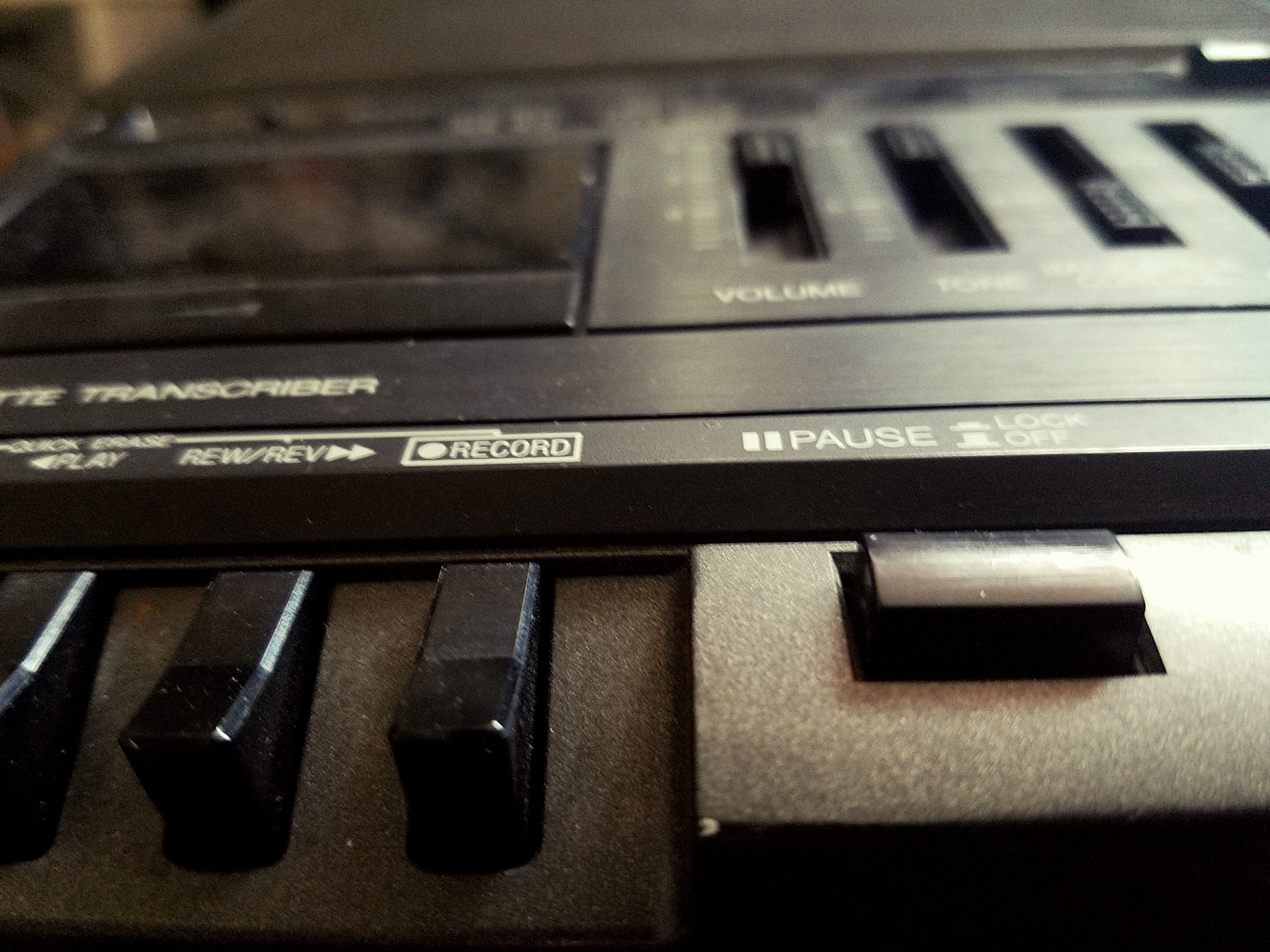
SO my friend mobdividual lent me a couple of microcassette players in order to import an old microcassette tape i found. It turns out the cassette was the very same used to record samples on this classic record. Neato!
BUT THEN i decided to also record the sound made when the tape player was playing a blank tape through the larger tape transcriber. It’s a nice, warm, rich, subtle hiss and hum. By varying the tone and speed controls in a methodical, timed manner, and crafting a sampler rack to play slices according to their timbre, you have a variable instrument you can use to recreate a range of tonalities. For extra swag, you could, for example, match the root note of the hum (by ear) to the key of your song.
I also created an instrument which plays in-pitch with whatever MIDI note you play, allowing for tape noise which follows a melody, hybridizing past/analog and future/digital techniques.
Lastly, there is a “stop clicker” percussion rack which can be used for nice analog clicking noises when you need them.
These instruments are available absolutely for free via Subaqueous, who also makes a vast assortment of mysterious and useful Ableton Live tools, from MIDI tools for compositional purposes to crafty effects and exotic instruments, as well as some deliciously tasty music.
NEW free pack available via AfroDJMac: Vinyl Snackler
“Instrument with 128 Unique Analog Vinyl Noise Loop Samples.”
This is a sampler instrument which is designed to play a loop of background vinyl noise which you can select from 128 unique samples, each with their own character. Some of the samples are primarily background hiss, but some also have pops, clicks, and other artifacts which can be useful as percussion elements. Big thanks to the one and only AfroDJMac for hosting this device.
 (It’s free! Go grab it!!)
PS…. if you are not already a member of the ADM Music Production Club, then you are missing out on a crazy-affordable source of insanely cool, high-quality, monthly awesome stuff delivered to your face. If you are interested in steadily building up your ableton library full of production and performance assets to be able to more quickly dive in to making your own bizarre unique sounds and developing your own twisted techniques, this is one of the most practical possible methods you can consider, especially if you’re a fan of the more odd and innovative side of things (which, if you’re reading this here now, i’m guessing you probably are).
“PMX-300 Square Lead” instrument can be acquired for FREE ONLY HERE by clicking<<<
(Requires Ableton Live 9 + “Sampler”)
Need kicks? Here we have for you this free Kick Selector courtesy of http://www.subaqueousmusic.com/ ~ the (aqpm) Kick Selector, chock-full of sweet kick samples.
Subaqueous sent me the rack and i tweaked it to be able to harmonically match whatever key your song is in.
It’s always nice having more kick drums to choose from, as the kick drum is a very important component of almost any song.
This rack includes a tasty selection of kick samples, all set to the same pitches and volume levels for easy swappability (is that a word?).
This rack works well playing as just an isolated kick drum when you need one for your song, or you can replace the kick on the drum rack you are working on with this (just drop it over that slot to replace), if you’d like to change it up.
Download it for FREE immediately by CLICKING HERE.
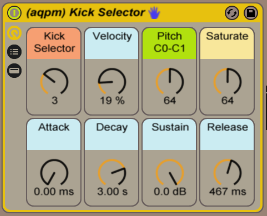
Macros_
“Kick Selector” – select your kick from amongst 9 choices
“Velocity” amount kick’s volume is affected by input strength
(set this to zero if you want your kicks always at full volume.. higher if you want input pressure to affect volume)
“Pitch” – sets the root note of the kick sample from C0 to C1. At default of 64 it happens to be a G#/Ab. Set it to an important fundamental pitch of your song’s key for harmonic swagger. You could even modulate it to switch to a different root note for different song sections.
“Saturate” – sets the amount of saturation and limiting. If the kick sounds weak in the mix to you, turn this up. If it sounds too distorted, turn it down.
“Attack, Decay, Sustain & Release” – your standard ASDR controls. If you’re yet not familiar with what the heck “ADSR” envelopes are, check out http://audio.tutsplus.com/tutorials/production/an-introduction-to-adsr/
~`~

